Use the official download
The public download requires no sign-in or invite. Any page that asks for an invite to unlock the APK is not part of the current official flow.
QUICK START
Go from installation to your first message in a few clear steps. Your identity stays local, and every connection starts with a choice you make.
 Quick startN
WELCOME TO NOME
Your identity will be stored on this device.
Create a local identityNo phone number or public ID
✓Connect with a contactCreate or accept an invitation
·Send your first messageStart chatting when ready
·↗ You can migrate from another device later
First run
Create a local identity, then connect through an invitation link or QR code.
A product invite is not the same as an in-app contact invitation.
01 / START
Follow these steps in order. Each step handles one clear task.
Get the Android APK from Nome's official download page. Before installing, verify its version, package name, file size, and SHA-256. The current build supports ARM64 devices running Android 9 or later.
On first launch, choose “Start creating” and set a display name. Nome does not require a phone number or create a searchable public user ID.
Create a one-time contact invitation in the app, or scan or paste an invitation from the other person. Share invitations only with the intended contact.
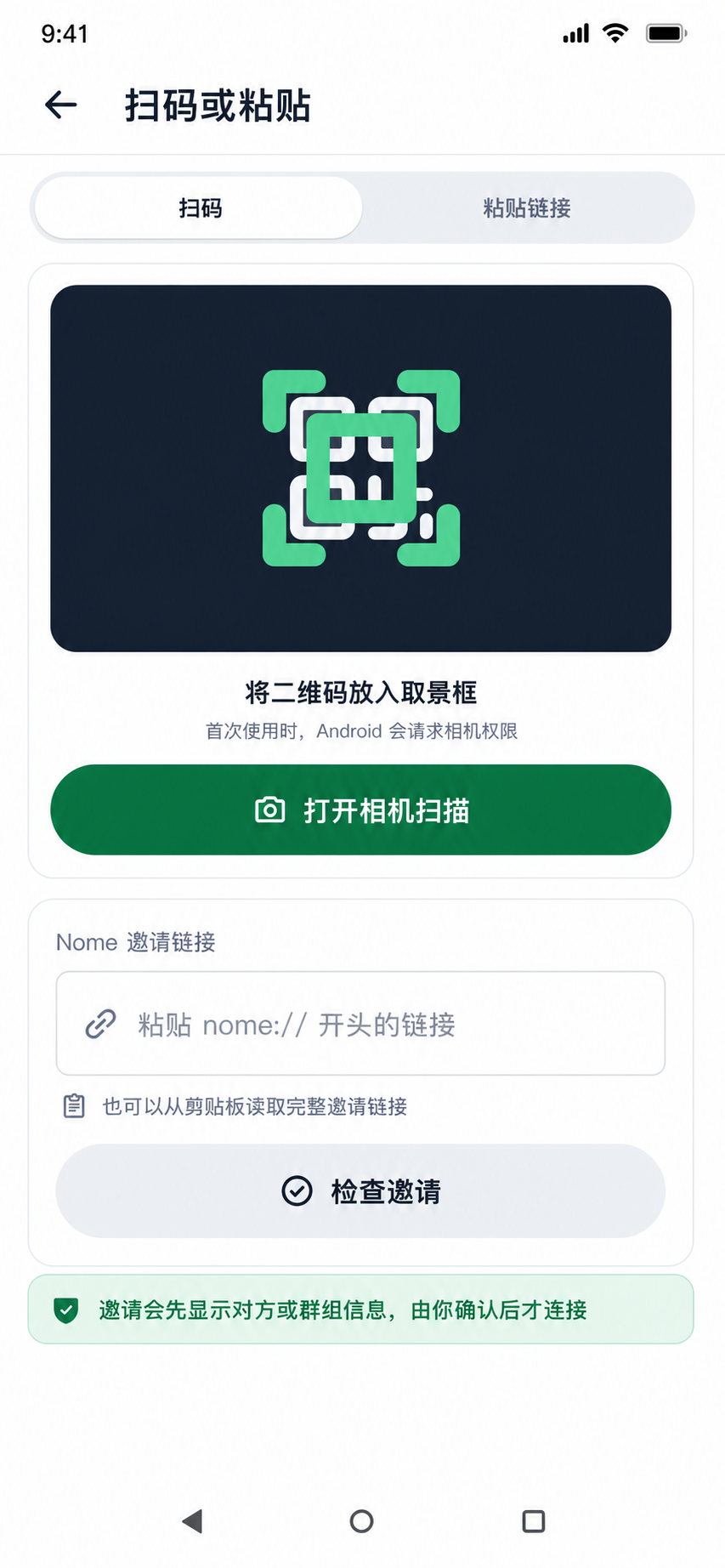
CONTACT INVITATION
When you receive an invitation, scan its QR code or paste the complete nome:// link. The app shows the contact or group details first so you can confirm before connecting.
Before connecting, check the display name and invitation source. Confirming through another trusted channel can reduce the risk of connecting to the wrong person.
Once the connection is ready, start chatting. Contact relationships remain separate and do not require a public phone number, email address, or shared account.
Before deleting the app, changing devices, or installing a later build with a different signature, create an in-app backup and verify that the backup file is usable.
02 / REMEMBER
The public download requires no sign-in or invite. Any page that asks for an invite to unlock the APK is not part of the current official flow.
The website application is for a Nome product invite. Invitations created inside the app establish contact or group connections. They are not interchangeable.
Local-first means your device holds the data. Create and verify a backup before migration or removal.
03 / NEXT